

Setup
Create anosano.js file inside your content directory with the following content.
OSANO_SCRIPT_URL with your Osano script URL. Your script URL is the src value in the code snippet that Osano generates. Your script URL always starts with https://cmp.osano.com/ and ends with /osano.js.
Mintlify automatically includes any .js file inside your content directory on every page of your site. You don’t need to register osano.js in docs.json. See Custom JavaScript for details.
Verify the banner
After you deploy, open your site in a private or incognito window and confirm the Osano consent banner appears. If it doesn’t, check the browser console for errors loadingosano.js and confirm the script URL matches the one from your Osano dashboard.
Troubleshooting
Pages not loading with Strict compliance mode
Pages not loading with Strict compliance mode
If your documentation pages aren’t loading properly when using Osano’s Strict compliance mode, you’ll need to add Mintlify’s domain to your allowlist to allow images and other assets to load.
1
Navigate to Managed Rules
In your Osano dashboard, go to Scripts → Managed Rules.
2
Add Mintlify domain
Add 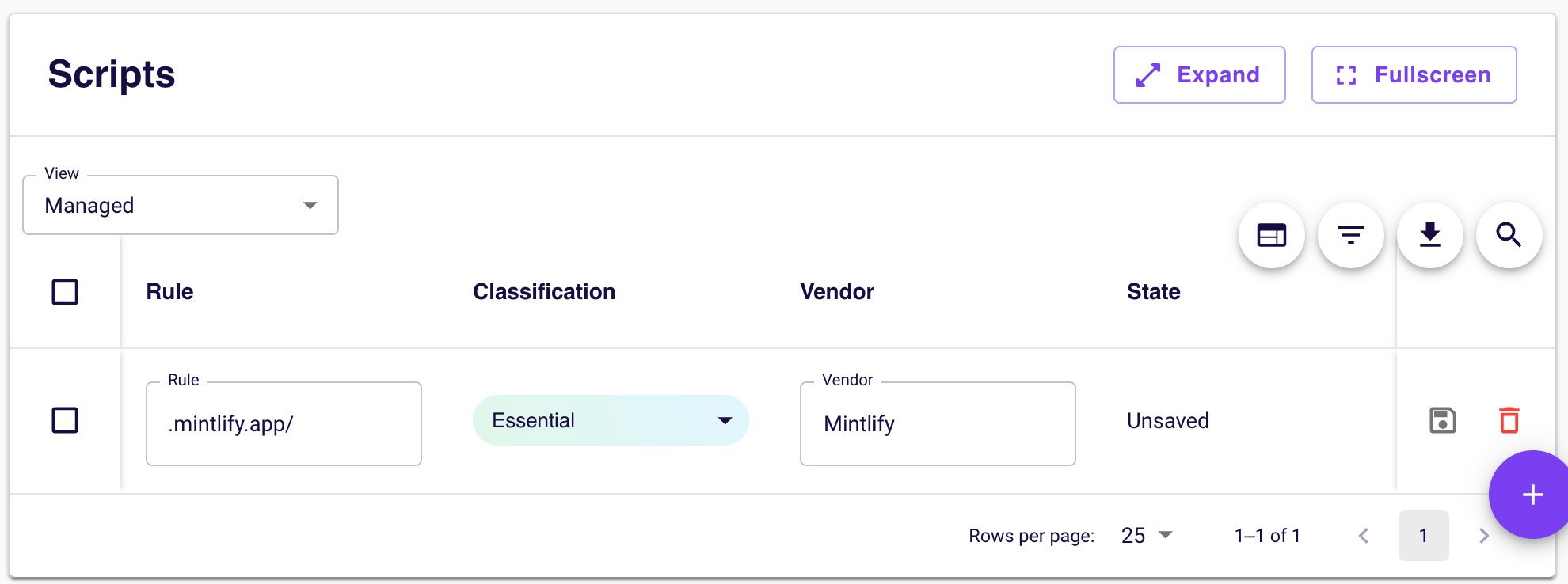
.mintlify.site/ as a managed rule.This ensures that all Mintlify-served assets, including images, stylesheets, and other documentation resources, remain essential and load even when Osano blocks uncategorized third-party content.